Run Any Service
Business.
Without
the Chaos.
One platform for IT support, AMC, HVAC, facility management and beyond. Clients, assets, contracts, incidents — all connected.
One Platform.
Your Industry.
SupportCRM is not just an IT helpdesk. Its structured service model adapts to any industry where clients, assets and support operations matter.
Do not see your industry? SupportCRM adapts to any service operation.
Talk to Us About Your IndustryEvery Module. One Platform.
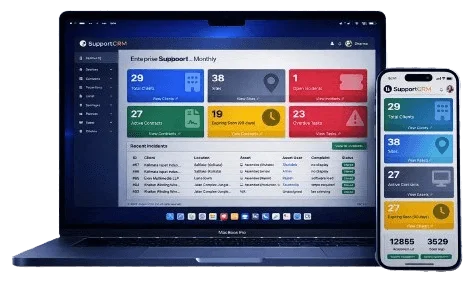
From the dashboard to incident resolution — here is what your team will work with every day.


Support Chaos Is the Real Risk
When tickets, assets and contracts are disconnected, service quality becomes unpredictable — and clients notice.
Traditional Approach
- WhatsApp and email complaints, no tracking
- Assets not linked to service history
- AMC renewals missed, contracts forgotten
- No SLA visibility or escalation alerts
- Engineer accountability is guesswork
- Client has no self-service — calls for every update
- Structured incident workflow with status tracking
- Every asset linked to client, location and contract
- AMC contracts tracked with 90-day expiry alerts
- SLA timers, escalation rules and duration reports
- Engineer assignment with activity logs and feedback
- Client portal — raise tickets, track updates, view assets
Everything Your Team Needs. Nothing They Don't.
Structured workflows. SLA clarity. Full accountability. Built around how service companies actually work.
Incident Management
Structured ticket lifecycle from Open to Closed. SLA timers, escalation alerts, engineer assignment and client feedback — all tracked.
Asset Management
Register every device with type, model, serial number, warranty and assigned user. Linked to client sites and service contracts.
Contracts & AMC
Track AMC contracts with visit limits, payment status, coverage type and expiry alerts. Never miss a renewal again.
Preventive Maintenance
Schedule recurring service tasks against contracts. Assign engineers, track completion and get overdue alerts automatically.
Reports & Analytics
Incident summary, asset inventory, contract status and preventive task reports. Export to PDF or Excel for client reporting.
Client & Site Management
Manage multiple clients with contacts, locations and linked portal users. Full service history per organisation.
Role-Based Access
Admin, sub-admin, engineer and client portal user roles. Module-level permissions and device authorization per login.
Client Self-Service Portal
Clients raise incidents, track status, view assets and provide feedback — without calling your team for every update.
Engineer Mobile App
Field engineers view assigned incidents, update status, add notes and close tickets directly from their mobile device on-site.
From Complaint to Closed — Fully Tracked
Every incident follows a structured, visible lifecycle. Nothing falls through the cracks.
Structured Data Hierarchy
Every ticket is linked to infrastructure. Every asset is contract-aware. Every action is measurable.
Your Clients Don't Need
to Call for Updates
Give every client their own branded portal to raise incidents, track engineer progress, view their assets and provide service feedback — without your team fielding constant calls.
Raise new incidents with location and asset selection
Track ticket status and engineer assignment in real time
View all their assets, warranties and assigned users
Rate service quality when incidents are closed (1–5 stars)

Real numbers from production deployments
Technician Mobile App
Field engineers receive assigned incidents, update status,
upload notes and close tasks directly from their mobile device.
Real-time updates sync instantly with the main SupportCRM system.

Ready to Structure
Your Service Operations?
Book a live walkthrough — we will show you exactly how SupportCRM fits your industry and team size.